
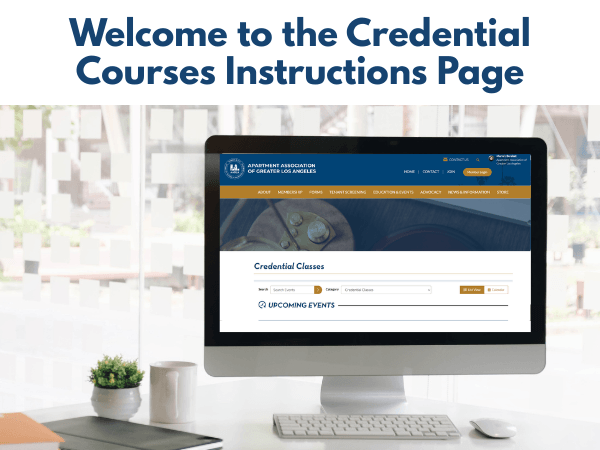
Credential Course Instructions Page
Credential Course Instructions Page
Before you begin your credential course, you may need to create or update your National Apartment Association account and enable credential PACE access. The steps below will walk you through the process, using screenshots to show exactly where to click and what to select.
Please follow each step in order. Once your account is set up and PACE access is enabled, you will be able to apply for your credential and register for the required exams.
If you need any assistance, reach out to Diana Alcaraz, Events Manager: e-mail
Step 1
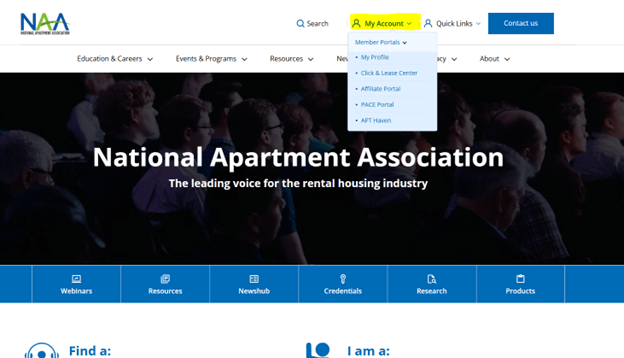
To create your NAA account, go to naahq.org. Then hover over “My Account” and select “My Profile.”
Step 2
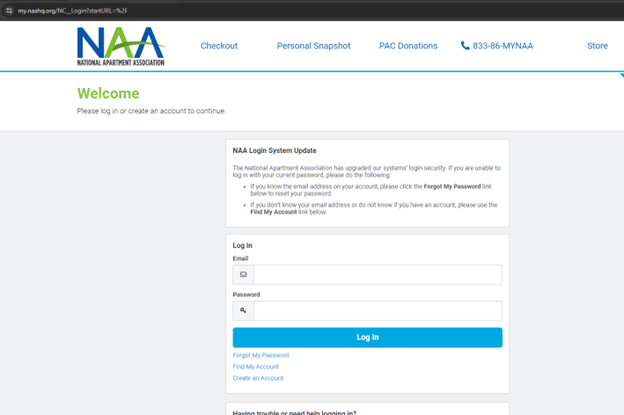
Once you are on the page below, click on “Create an Account.”
Step 3
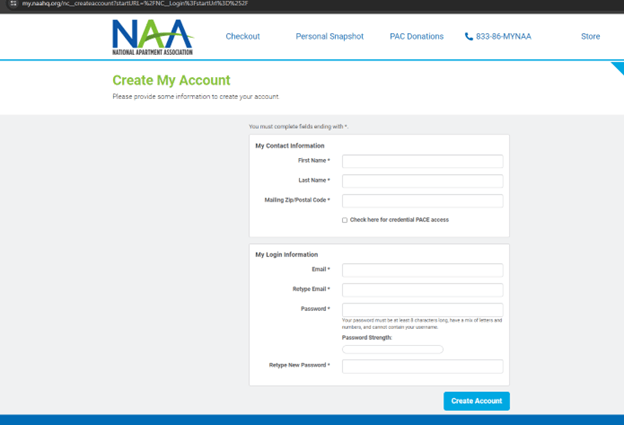
On the next page, enter the requested information, select the box labeled “Check here for credential PACE access,” and click “Create Account.” Once you do, your NAA account will be set up.
Step 4
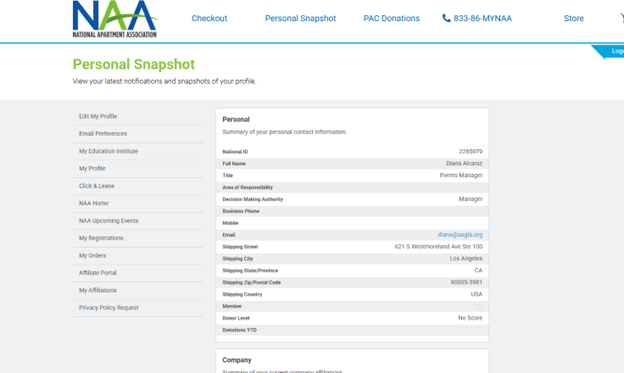
If you already have an NAA account, you will need to enable PACE access if you haven’t done so. First, sign in to your NAA account and make sure you are on the Personal Snapshot page.
Step 5
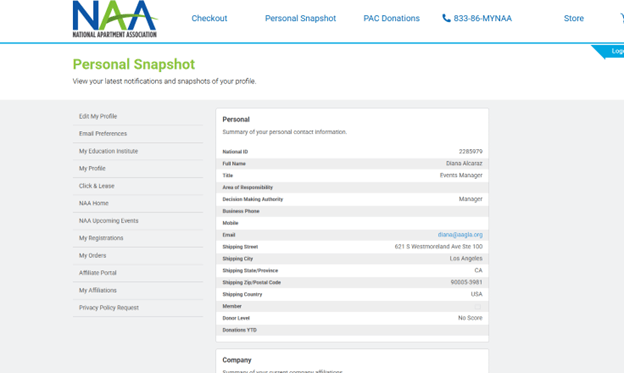
Next, click “Edit My Profile.”
Step 6
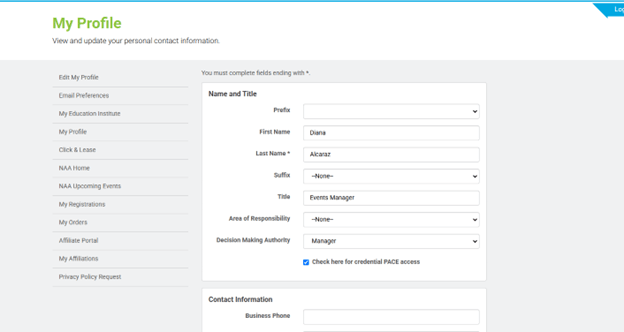
Select the box labeled “Check here for credential PACE access.”
Step 7
Click SAVE to finish. You will then have access to PACE, where you can apply for the credential associated with your training and register for the exams.