
AAGLA Forms Library Tip: Creating your First Tenancy and Notice
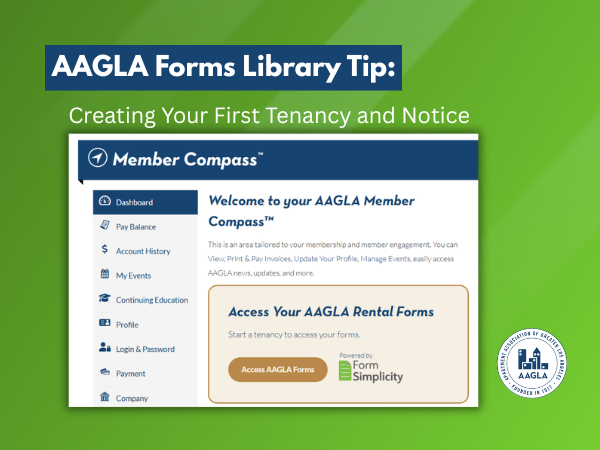
AAGLA Forms Library Tip: Creating your First Tenancy and Notice
AAGLA’s new Forms Library is now powered by Form Simplicity, which is included with AAGLA membership.
To help you get comfortable with the new workflow, we are starting with one common example:
- Creating a Notice of Change in Terms to increase rent for an existing tenant.
In Form Simplicity, you will first create a “Tenancy.” Think of a Tenancy as a tenant folder. Just like you would save forms and notices to a folder on your computer or print them and keep them in a physical file folder, a Tenancy is a place to organize forms for a tenant, unit or property in a rental situation.
- For example, if you need to prepare a Notice of Change in Terms form, you can create a Tenancy for that tenant or rental unit, then add the Notice of Change in Terms form to that folder.
Step 1: Log in to your AAGLA Member Compass
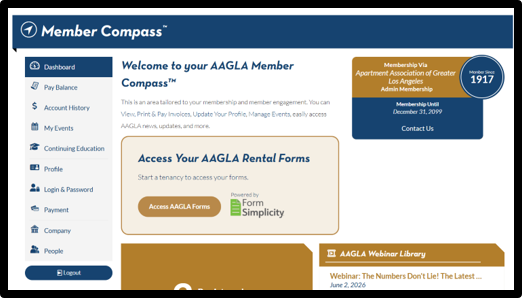
- Log in to your AAGLA Member Compass and click “Access Your AAGLA Rental Forms Library.”
- NOTE: If this is your first time logging in, you will be asked to view and accept the terms of service. Once you accept this, you will not see this again.
Step 2: Start a Tenancy
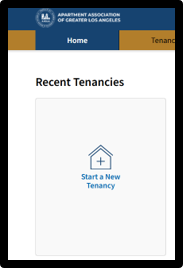
- From the Form Simplicity home screen, click “Start A New Tenancy.”
- A reminder that a Tenancy is a place to organize forms for a tenant, unit or property in a rental situation.
Step 3: Enter the rental property address
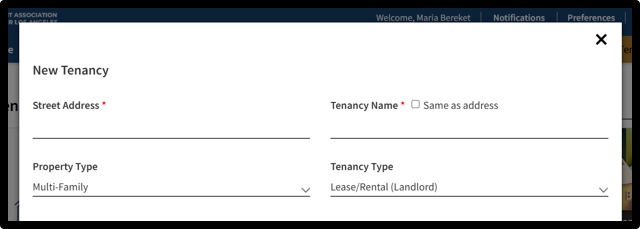
- In the “Street Address” field, enter the rental property address for the unit connected to the form you want to prepare.
- For example, if you are preparing a Rent Increase form for a tenant at 123 Main Street, enter 123 Main Street here.
- Use the rental property address, not your personal mailing address.
- Select the Tenancy Type, which is your role in the tenancy. In most cases, this will be Lease/Rental (Landlord).
Step 4: Name your Tenancy
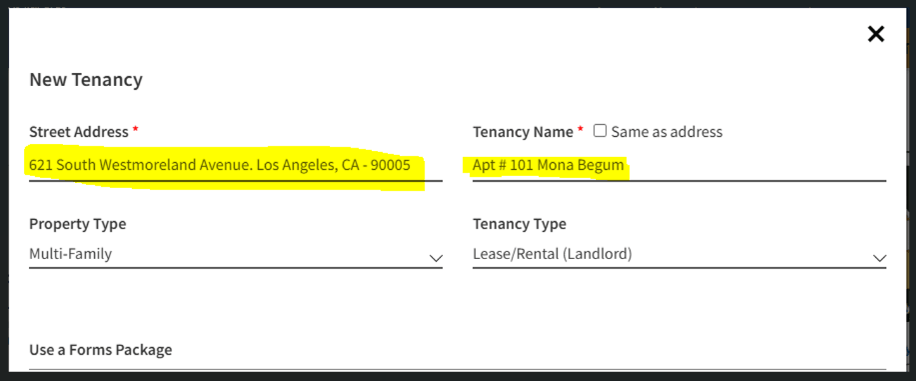
- In the “Tenancy Name” field, enter a name that will help you recognize this folder later.
- This name is for your own organization. You may want to use something simple, such as:
- Tenant Last Name + Property Address (e.g., Apt 101, Mona Begum)
- The system offers a checkbox to name the folder the same as the property address. You may select that option if it works for you.
Step 5: Choose the property type

For most AAGLA members preparing rental housing forms, select:
- Property Type: Multi-Family
- Tenancy Type: Lease/Rental (Landlord)
- Note: For the Property Type and Tenancy Type fields, they are for your internal tracking and do not impact your use of AAGLA’s rental forms.
These selections tell Form Simplicity that you are working with a Multi-Family (apartment) rental situation.
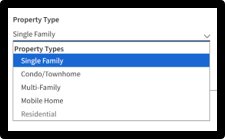
Single-family: A single-family is, typically, a freestanding house on its own parcel of land that does not share common walls, has one water meter, power meter, and gas meter.
Condo: A condo is an individually owned private unit (residence) within a larger residential complex or building. Usually, condos are under an HOA.
Townhome: A townhome is a multi-story home that shares at least one wall with neighboring properties but has its own private entrance. These can be under the HOA, too.
Mobile Home: A mobile home is a prefabricated dwelling built in a factory on a permanently attached chassis, then transported to a site for long-term residency.
Step 6: Create the Tenancy
- After entering the required information, click “Create Tenancy.”
- Your Tenancy will now be created.
Step 7: Add the Rent Increase form

- Once your Tenancy is open, click “Add Blank Forms.”
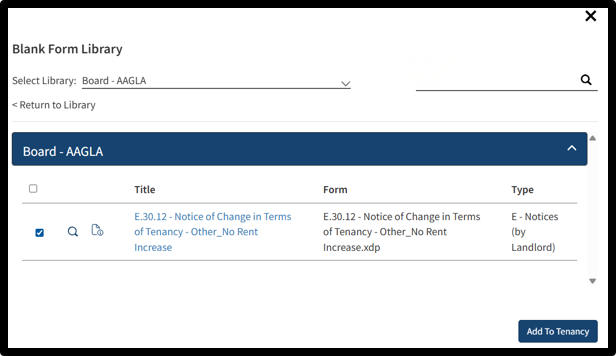
- Search for the Notice of Change in Terms form, select it, and add it to your Tenancy.
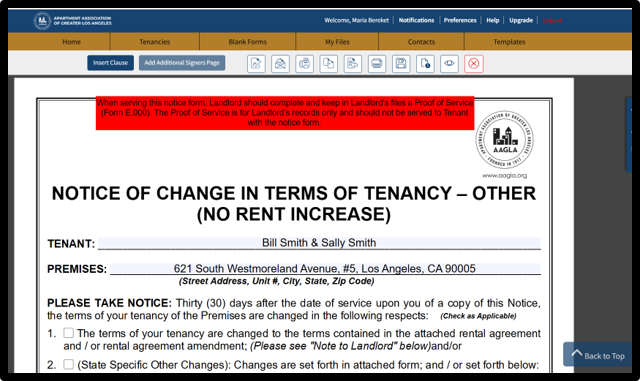
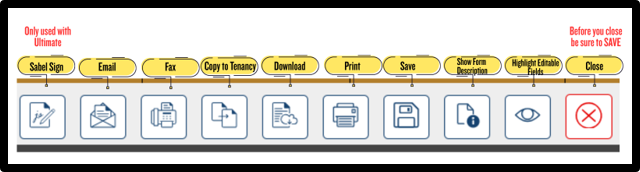
Below are the menu descriptions at the top of the form:
Step 8: Complete and save your form
- Open the Notice of Change in Terms form and begin completing the required fields.
- One benefit of using Form Simplicity is that the information you enter in the Tenancy will help fill repeated fields across forms, reducing the need to type the same information again.
- You must save your work so that you can return later to finish the form.
- Once you complete the form, you can download the form as a PDF or print it.
NOTE: Everything covered here is included with AAGLA membership through Form Simplicity Starter Edition. If you want to upgrade your tenancy workflow, Form Simplicity Ultimate Edition adds unlimited electronic signatures through SabalSign, unlimited cloud storage, and the advanced leasing workflows members asked us for. The same trusted AAGLA forms, with a few more tools to move your leasing work along. Learn more about everything included in Ultimate Edition.
A quick reminder
The term “Tenancy” is used in Form Simplicity. For everyday use, it may help to think of it as a folder you use to organize a tenant’s forms and documents.
- Creating a Tenancy does not create a new lease or change the tenant’s legal status. It is simply the first step in organizing and completing forms inside the new AAGLA Forms Library powered by Form Simplicity.
- You can create a Tenancy for each unit and save it. It will be stored in your Form Simplicity account, and you can access it 24/7 from anywhere you have internet access through your AAGLA Member Compass.
Let us know if this helped you by emailing us some feedback. Click here to email Maria.
Need More Help?
Form Simplicity support is available to help.
- Contact Tech Support at 866-610-6536
- Hours:
- Monday-Friday, 6:00 AM-5:00 PM PT
- Saturday-Sunday, 6:00 AM-2:00 PM PT